Time recording
Billisecond Timers
Record time against the right client and matter, then review the day before it is billed.
Runs on Windows and connects to your organisation’s SQL Server.
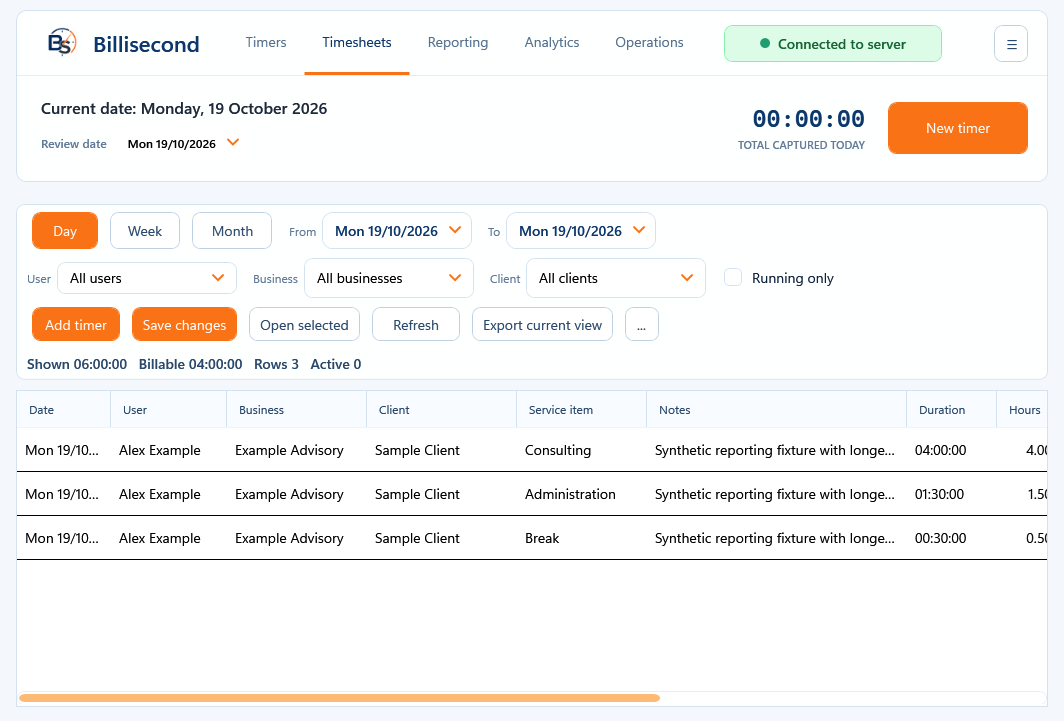
In use
Record time, then check your timesheet.
Record the work
Start and stop timers as you work. Keep the business, client, matter and description with each entry.
Review the day
Use the timesheet to check hours and descriptions, and correct entries before reporting or billing.
Keep the records on your server
Shared time records live on your organisation’s SQL Server, not in the website’s licence database.
A closer look
Billisecond Timers
at work.
Keep the details with each time entry
Keep the business, client, matter and work description with each entry. Timesheets and reports let you check the day before the records are used for billing. Review time entries before using them for reporting or billing.
Record time against clients and matters, review your timesheets and keep your time records on your organisation’s SQL Server.
Check what you need to run it →Before you install
Check your setup.
Windows and an organisation-managed SQL Server database. Confirm the database setup, workstation access and backups before installing.
Record time against clients and matters, review your timesheets and keep your time records on your organisation’s SQL Server.
Back up your working records and read the installation instructions before making changes.
Help with installation →Installation & licences
Arrange your Timers installation.
Let’s check your setup first.
Contact us to check your SQL Server setup and arrange the installer. You’ll need a paid Timers licence to use the app.
Request the Timers installer →See the one-year licence price →
Once payment is confirmed, we review your key request and make the key available in My account. Your website account is separate from your Timers database login.