Document tools
PDF to Word Converter
Turn searchable PDFs into editable Word documents without sending the source files to a conversion website.
We’re not taking orders for this app yet.
Runs on your Windows computer.
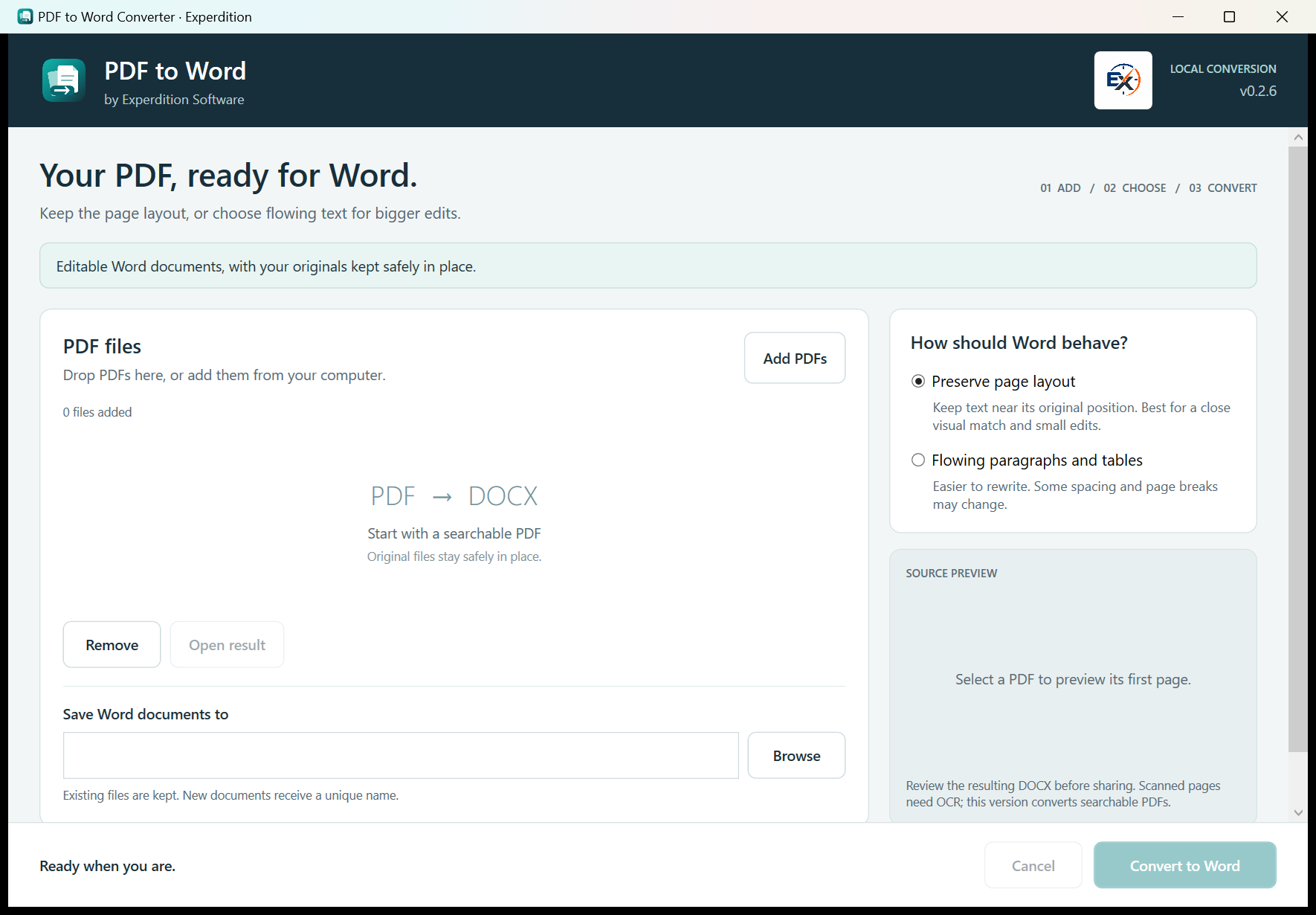
In use
How it works.
Choose a searchable PDF
Add the source file and select an output folder on your computer.
Choose the Word layout
Use positioned text to retain arrangement, or flowing paragraphs and supported tables for more substantial edits.
Check the Word document
Review reading order, spacing, tables and images. Source PDFs stay unchanged; scanned image-only PDFs need OCR first.
A closer look
PDF to Word Converter
at work.
Choose the Word layout
Positioned text aims to keep the arrangement of the page. Flowing paragraphs and supported tables are suited to more substantial editing. Check reading order, spacing, images and tables afterwards. Image-only scans need OCR first.
Complex layouts may need manual correction. Review the result before sending or publishing it.
Check what you need to run it →Before you install
Check your setup.
Windows 11 and searchable PDF input. Microsoft Word is not required to perform the conversion.
Complex layouts may need manual correction. Review the result before sending or publishing it.
Back up your working records and read the installation instructions before making changes.
Help with installation →Availability
Ask about PDF to Word Converter.
We’re not taking orders for this app yet.
Get in touch if you’d like to know more about the app or discuss using it in your business.
Make a product enquiry →