Personal work management
WorkBoard
Keep track of your tasks, client work and deadlines in one place on your Windows computer.
We’re not taking orders for this app yet.
Runs on your Windows computer.
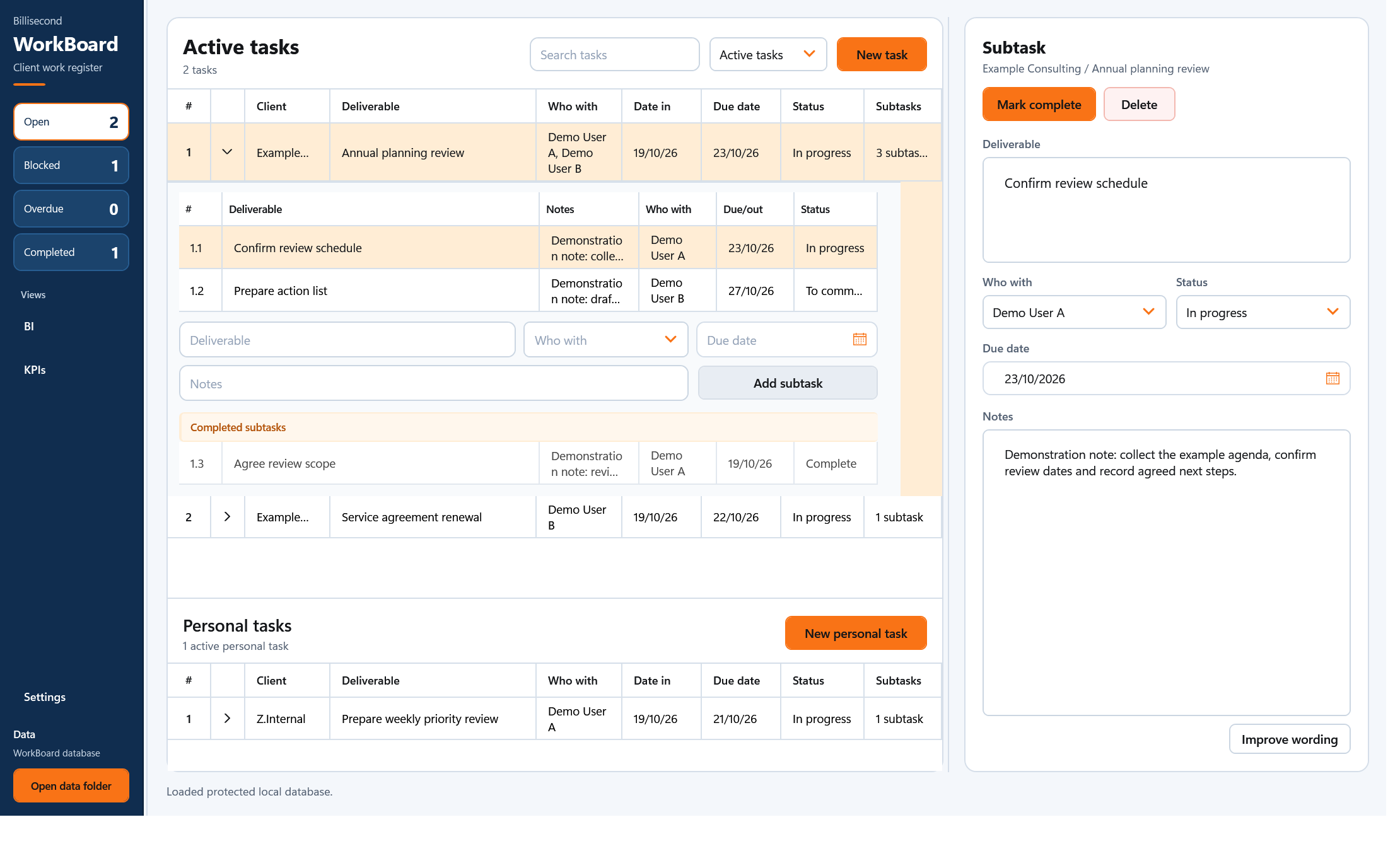
In use
How it works.
Put the work in one register
Add the task, client, due date and notes. Break larger jobs into subtasks.
Pick up where you left off
Review open work, update progress and keep the completion history with the task.
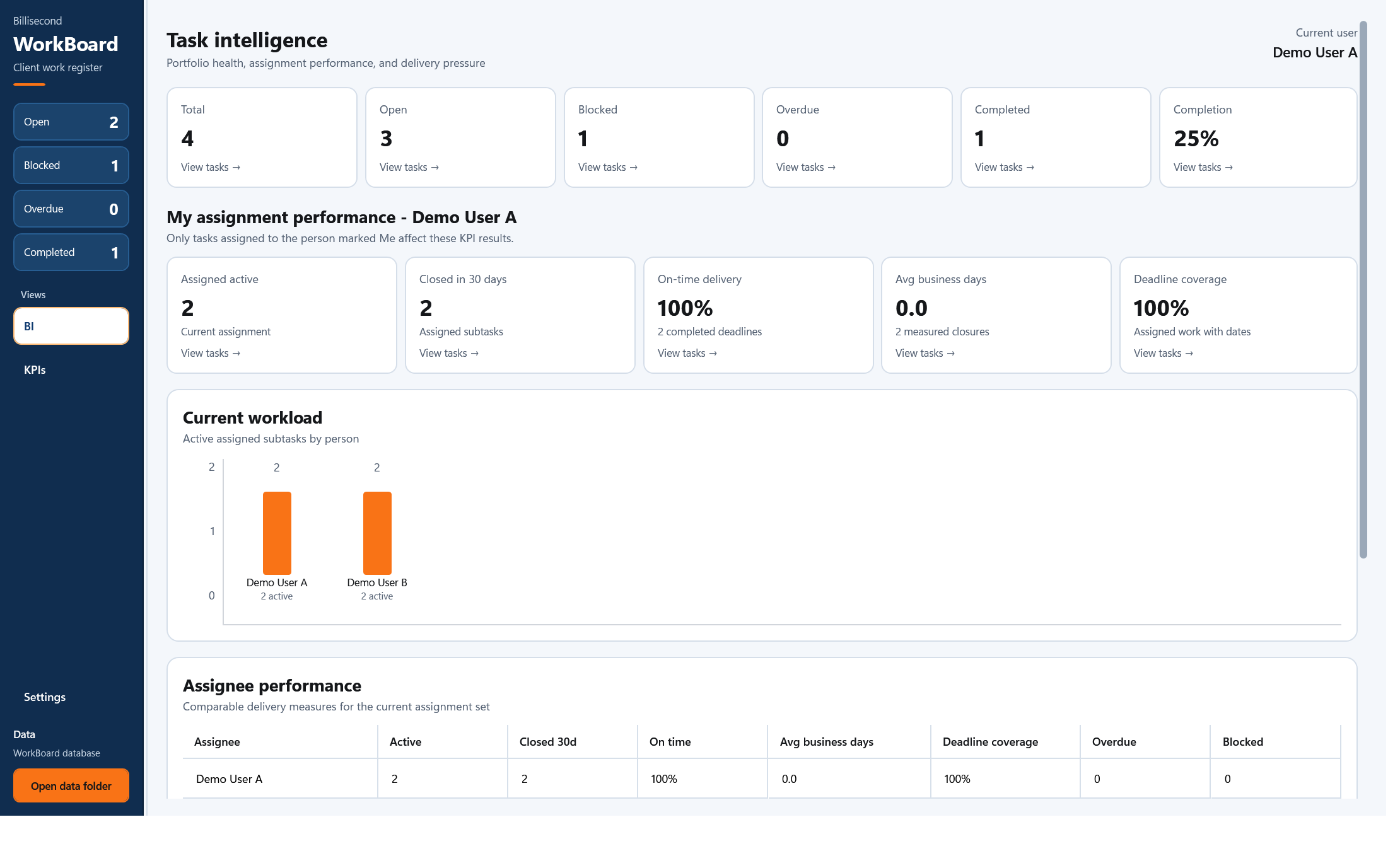
See the tasks behind the totals
Select BI figures to see the tasks behind the numbers, including late completions and days late.
A closer look
WorkBoard
at work.
See the tasks behind the figures
Click a BI summary to inspect the relevant tasks. On-time delivery shows late completions with their due date, completion date and calendar days late. Search, sort and filter the detail.
Keep tasks, subtasks, client details, notes and completion history in a local register. Exchange register information with Excel and keep recoverable backups. WorkBoard is for one person’s workload, not a shared real-time database.
Before you install
Check your setup.
Windows 11, a local working register and recoverable backups. A local database in a sync folder is not a shared real-time service.
WorkBoard keeps your tasks and work register on your Windows computer.
Back up your working records and read the installation instructions before making changes.
Help with installation →Availability
Ask about WorkBoard.
We’re not taking orders for this app yet.
Get in touch if you’d like to know more about the app or discuss using it in your business.
Make a product enquiry →