Document tools
PDF Compressor
Make a smaller PDF copy on your own computer while keeping the original unchanged.
We’re not taking orders for this app yet.
Runs on your Windows computer.
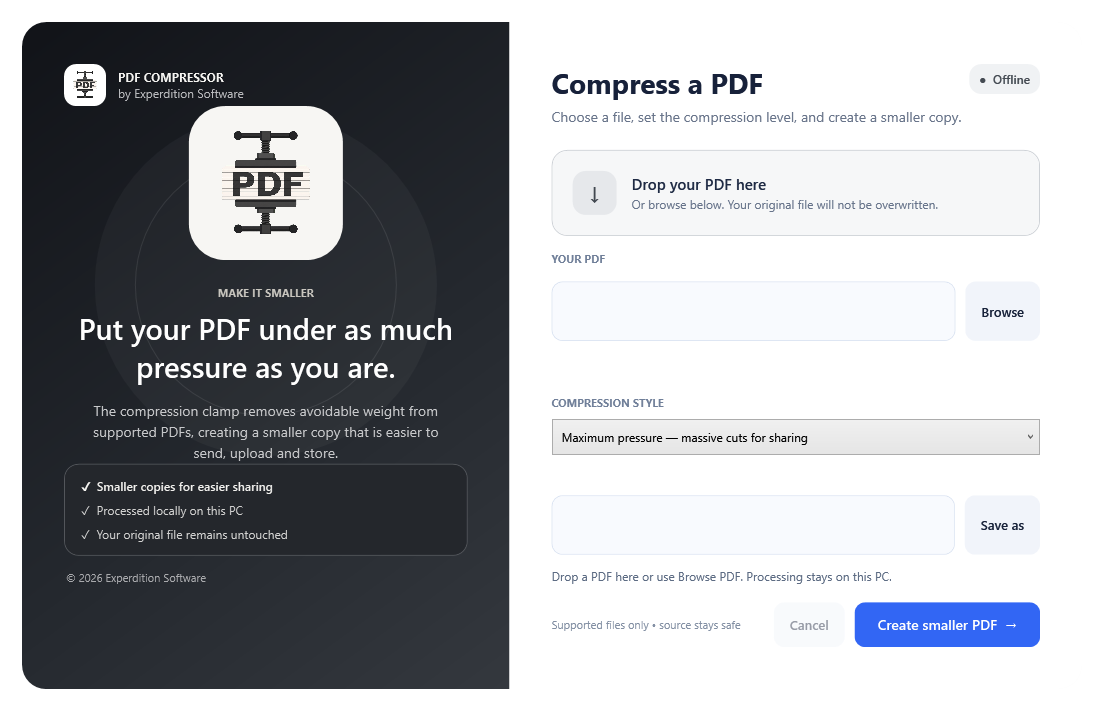
In use
How it works.
Choose the PDF
Add the source document without uploading it to an online compression service.
Choose a compression setting
Use Lossless, Smart or Maximum pressure according to the result you need.
Review the new copy
Compare the output with the original before using it. Maximum pressure flattens searchable text, links, forms and other document features; digital signatures are not retained.
A closer look
PDF Compressor
at work.
Choose a compression setting
Lossless, Smart and Maximum pressure provide different approaches to reducing file size. Maximum pressure flattens searchable text, links, forms and other features; digital signatures are not retained. Review the result and retain the original.
Keep the original PDF, particularly for signed documents and evidential material.
Check what you need to run it →Before you install
Check your setup.
Windows 11 and enough local space for the original and output files.
Keep the original PDF, particularly for signed documents and evidential material.
Back up your working records and read the installation instructions before making changes.
Help with installation →Availability
Ask about PDF Compressor.
We’re not taking orders for this app yet.
Get in touch if you’d like to know more about the app or discuss using it in your business.
Make a product enquiry →